How to find your luggage product or style ID
Start with the luggage label, not the replacement part. Record the complete product, style, SKU or serial/reference identifier exactly as printed—including suffixes, hyphens, spaces and version clues—before you search for a wheel, handle, lock or other component.
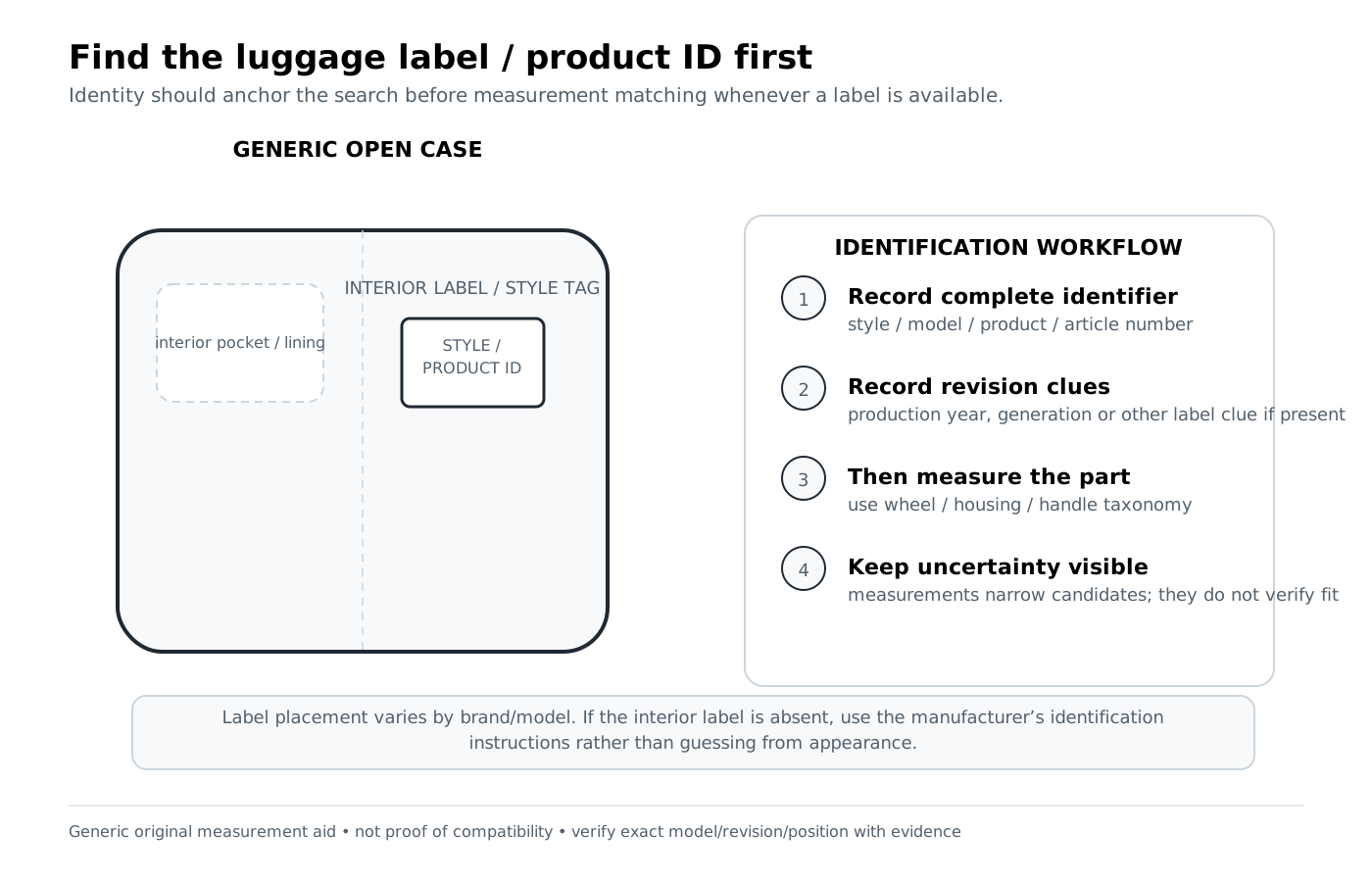
What to prepare before you search
- A photo or written transcription of the complete interior/sewn label.
- Brand and collection/model name, if shown separately.
- Every product/style/SKU/serial/reference string exactly as printed.
- Any suffix, color/variant code, size, production date, region or version index.
- The part type you are trying to identify and, for wheels, the physical position.
- Measurements only after the identity fields above have been recorded.
Step-by-step identification workflow
- Open the case and inspect label zones. Check sewn fabric labels, lining seams, interior pockets, frame areas and manufacturer identification tags. Do not assume the marketing collection name is the style ID.
- Separate names from identifiers. Write “collection/model” and “product/style ID” on different lines. A friendly product name can be reused across revisions; the identifier is usually the better search key.
- Preserve the full string. Keep leading zeros, suffixes, hyphens and color/variant codes. Search both the exact printed form and a normalized form only after preserving the original.
- Record regional formatting. The same product identity can appear with different punctuation in different regions, while other regional variants may have genuinely different full IDs. Treat a formatting match as an identity clue, not automatic spare-part interchangeability.
- Look for revision boundaries. A two-digit version index, style prefix, production window or generation label can decide whether a part fits.
- Only then search parts. Use Search, then compare exact identifiers, revision, position and evidence status. If the database has no source-backed crosswalk, keep the result as a candidate rather than promoting it.
Worked examples from project data
Example 1 — same product identity, different regional formatting
American Tourister Air Move carry-on/55 cm Black appears in the accepted data with 1392541041 and 139254-1041. The product identity crosswalk is source-backed, but replacement-wheel interchangeability is still UNVERIFIED because no public OEM cross-region spare-wheel mapping was established.
What to learn: removing or adding a hyphen can help locate the same product, but it cannot create a part-fit claim.
Example 2 — version information belongs in the identity record
For DELSEY, an accepted identification record notes an 11–13 character serial/reference plus SKU, with a two-digit index denoting product version. The spare-part relationship remains UNVERIFIED until DELSEY compatibility is validated.
What to learn: record the version/index as part of the identity workflow instead of searching only the collection name.
Common mistakes
- Searching the collection name alone and ignoring the full style/product ID.
- Dropping a suffix because it “looks like a color code.” It may also separate a regional or production variant.
- Assuming two IDs that normalize to a similar root must use interchangeable parts.
- Using a replacement-part listing’s claimed model name to overwrite the luggage label.
- Taking a photo of the label but failing to transcribe characters that are hard to read later.
When identity is not enough
An exact product ID can identify the bag without proving a public replacement-part SKU. If the source only confirms that a component exists, the candidate can remain UNVERIFIED. If identifiers and measurements align without explicit authoritative fit, it may be LIKELY. Only an explicit source-backed relationship within scope is VERIFIED; an explicit wrong revision, position or exclusion stays DOES_NOT_FIT.
How to interpret the evidence
Identification clue means something you can observe or measure—an ID, position, diameter, hole pattern, stage count or mounting detail. A clue narrows the search but does not prove fit. A candidate match means several clues align well enough to investigate. Source-backed compatibility requires explicit evidence within the stated product, revision, position and part scope.
VERIFIED
Explicit source-backed relationship within the stated scope.
LIKELY
Identifiers or measurements align, but explicit authoritative fit is incomplete.
UNVERIFIED
Candidate or component-presence evidence only; not a confirmed replacement fit.
DOES_NOT_FIT
Explicit conflict, exclusion, wrong position, wrong revision, or non-fit evidence.
Where to go next
Use Search once you have identifiers or measurements. You can also browse Products, Part IDs, or the relevant part-type directory.
Related guides: Measure a wheel · Wheel position basics · Measure a telescoping handle
How this guide was prepared
This guide was prepared by the Luggage Parts Guide Editorial Team from source-tracked project data and original brand-neutral diagrams (product-ID location diagram). Measurements and identifiers are used as identification evidence, not as substitutes for explicit fit documentation. See the Editorial Policy and Methodology.
Reviewed: October 6, 2026