LF, LR, RF and RR luggage wheel positions: advanced conflict guide
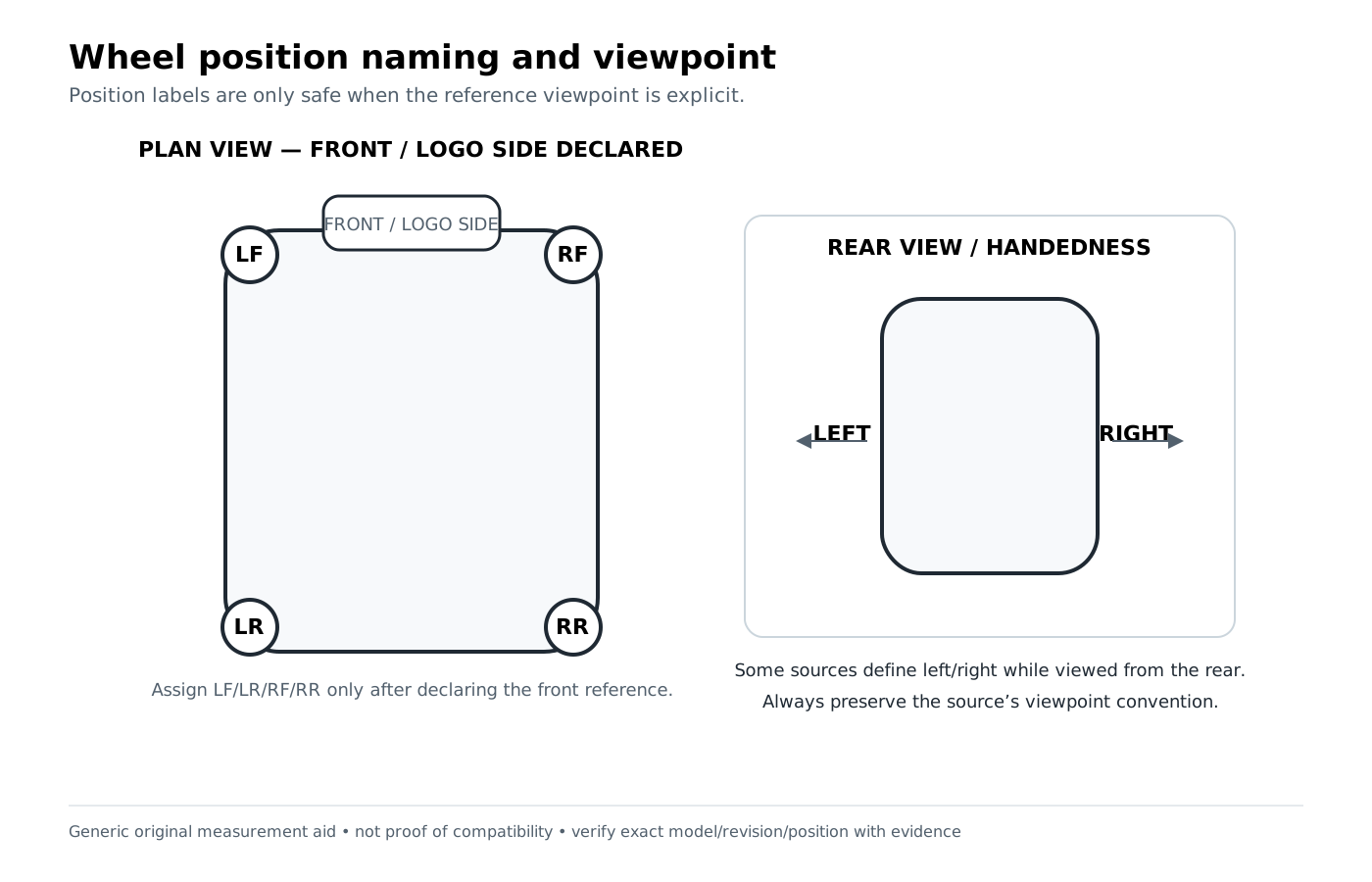
LF/LR/RF/RR only work after the viewpoint is declared. Treat the codes as corner labels tied to a defined front-facing orientation, then verify whether the actual housing is handed, mirrored or front/rear specific.
Preparation checklist
- Complete the basic front/rear/left/right orientation first.
- Take one top/plan-view photo with the declared front marked.
- Record the seller/OEM wording exactly before translating it.
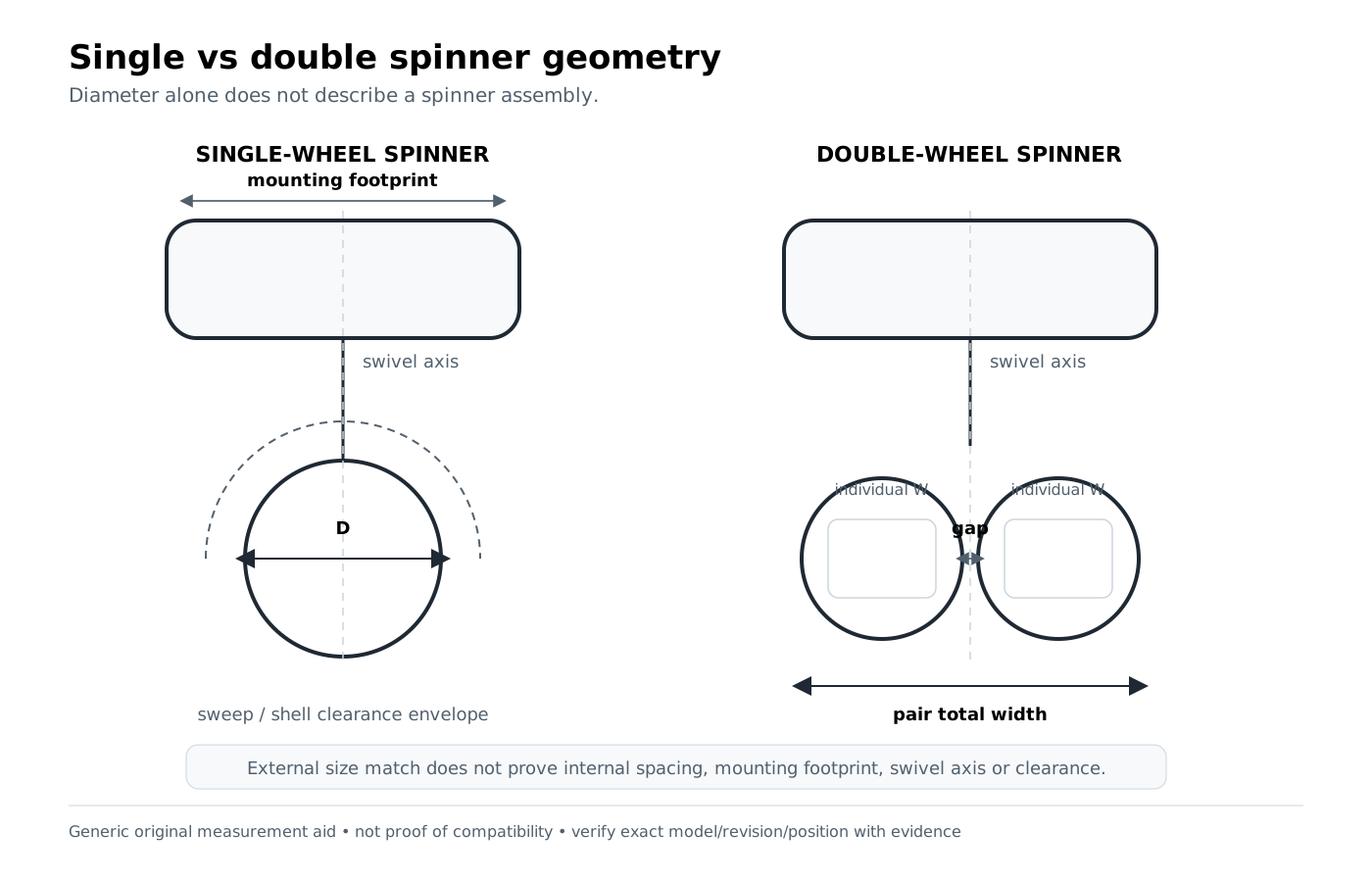
- Inspect mounting face, wheel offset, swivel axis and shell contour for mirror-image geometry.
- Keep part numbers tied to their stated corner/position until evidence says otherwise.
Advanced corner-code workflow
- Define the frame of reference. In this guide, LF means left-front, LR left-rear, RF right-front and RR right-rear while facing the declared front of the suitcase.
- Translate seller terminology. If a listing says “left” but shows a rear view, do not translate until you can reconcile the image/text orientation.
- Check handedness. Mirror-image housings may share hole spacing but reverse the mounting face, offset or shell contour.
- Check front/rear families. Some systems use separate front and rear part families even when left/right are paired.
- Preserve negative fit. A part explicitly identified for the front must not be repurposed to the rear because the wheel looks the same.
- Escalate ambiguous labels. If viewpoint or generation cannot be resolved, keep the mapping UNVERIFIED rather than guessing a corner.
Worked examples from project data
Example 1 — all four corner codes can be part of the candidate record
An accepted DELSEY Helium Aero carry-on candidate records the positions LF / LR / RF / RR alongside its wheel/housing measurements. Its status is LIKELY because the identity and specialist geometry align, but no manufacturer spare-part crosswalk was found.
What to learn: corner codes are identification data; they do not promote a candidate to VERIFIED on their own.
Example 2 — a front part assigned to the rear is an explicit non-fit
For a current Briggs & Riley Baseline carry-on spinner, the accepted data marks the front wheel family assigned to the rear as DOES_NOT_FIT because the manufacturer separates front and rear kit families.
What to learn: position-specific source evidence overrides apparent visual symmetry.
Common mistakes
- Using LF/RF without writing which face counts as front.
- Translating a rear-view seller photo as though it were a front view.
- Assuming left/right housings are unhanded because the hole spacing matches.
- Combining front and rear part families because wheel diameter is identical.
- Turning an unresolved corner label into a confident fit statement.
When position evidence is not enough
If position is known but the generation, mounting face or shell interface is not, keep the part at candidate level. If a source explicitly assigns a different front/rear or left/right family, preserve that conflict as DOES_NOT_FIT for the wrong position.
How to interpret the evidence
Identification clue means something you can observe or measure—an ID, position, diameter, hole pattern, stage count or mounting detail. A clue narrows the search but does not prove fit. A candidate match means several clues align well enough to investigate. Source-backed compatibility requires explicit evidence within the stated product, revision, position and part scope.
VERIFIED
Explicit source-backed relationship within the stated scope.
LIKELY
Identifiers or measurements align, but explicit authoritative fit is incomplete.
UNVERIFIED
Candidate or component-presence evidence only; not a confirmed replacement fit.
DOES_NOT_FIT
Explicit conflict, exclusion, wrong position, wrong revision, or non-fit evidence.
Where to go next
Use Search once you have identifiers or measurements. You can also browse Products, Part IDs, or the relevant part-type directory.
Related guides: Simple wheel-position guide · Full housing geometry · Mounting-pattern checklist
How this guide was prepared
This guide was prepared by the Luggage Parts Guide Editorial Team from source-tracked project data and original brand-neutral diagrams (wheel position/viewpoint diagram, single vs double spinner geometry diagram). Measurements and identifiers are used as identification evidence, not as substitutes for explicit fit documentation. See the Editorial Policy and Methodology.
Reviewed: October 6, 2026